Apex Activity Manager · Server Edition
Your Linux server, in the same app as your Mac.
A lightweight, paired service that shows a Linux server’s processes, services, containers, disks and signed-in users — live, in Apex on your Mac, or in any browser. Free for personal use.
Version 1.3.1 · 6.7 MB · x86_64 & aarch64 Linux · systemd, OpenRC or SysV init
Verify the download against the published sha256 checksum before you run the installer (the exact command is below).
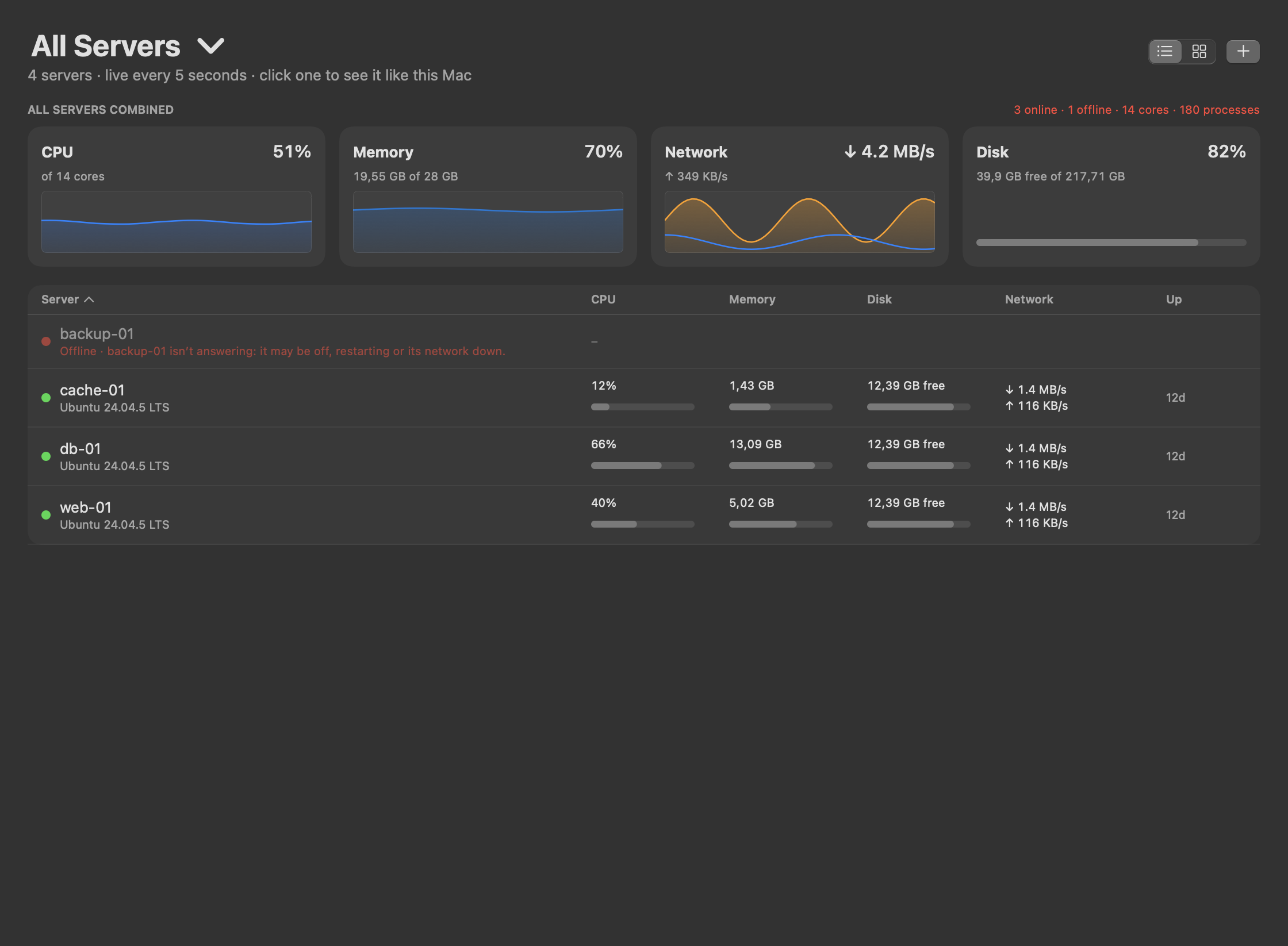
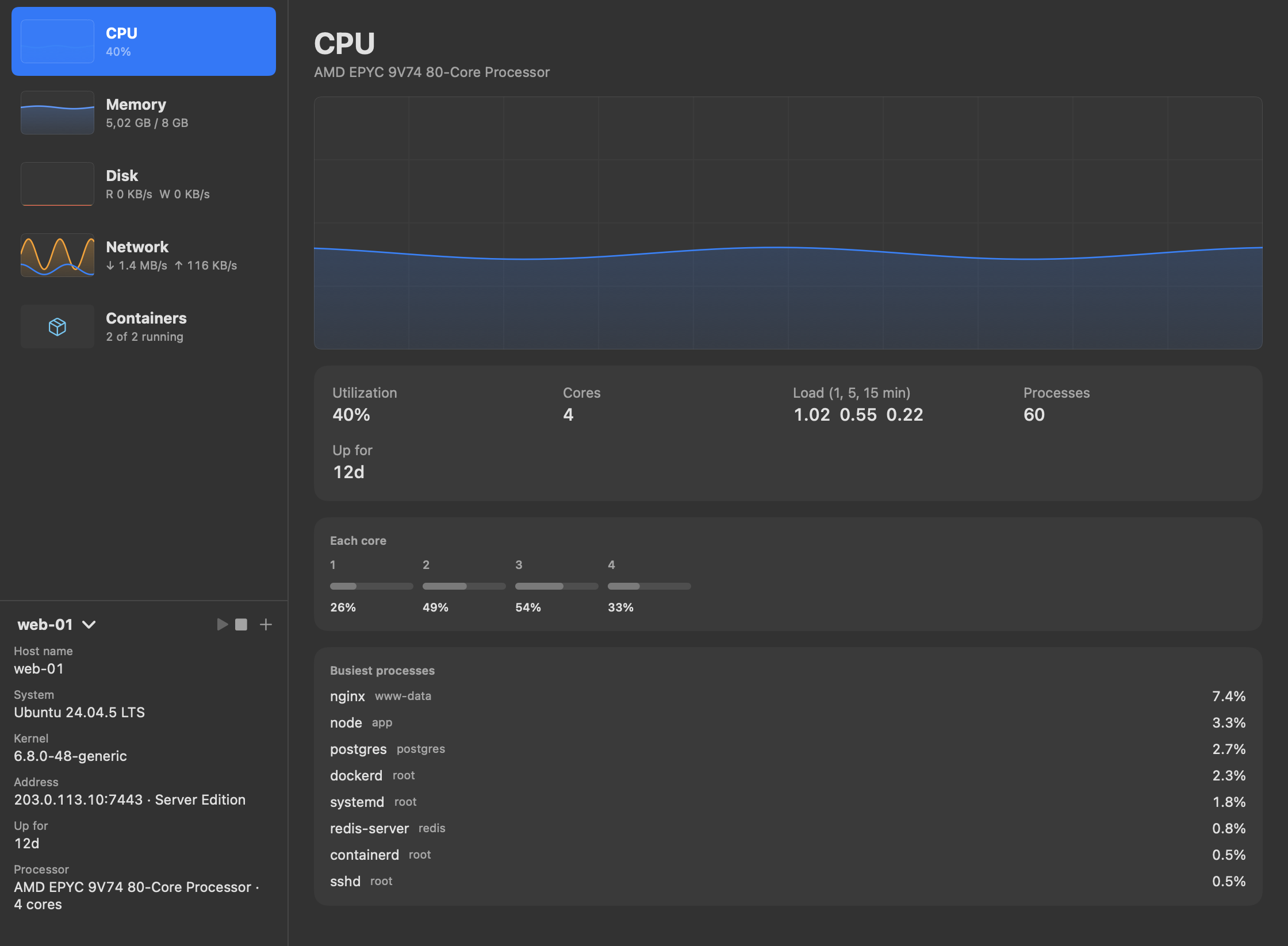
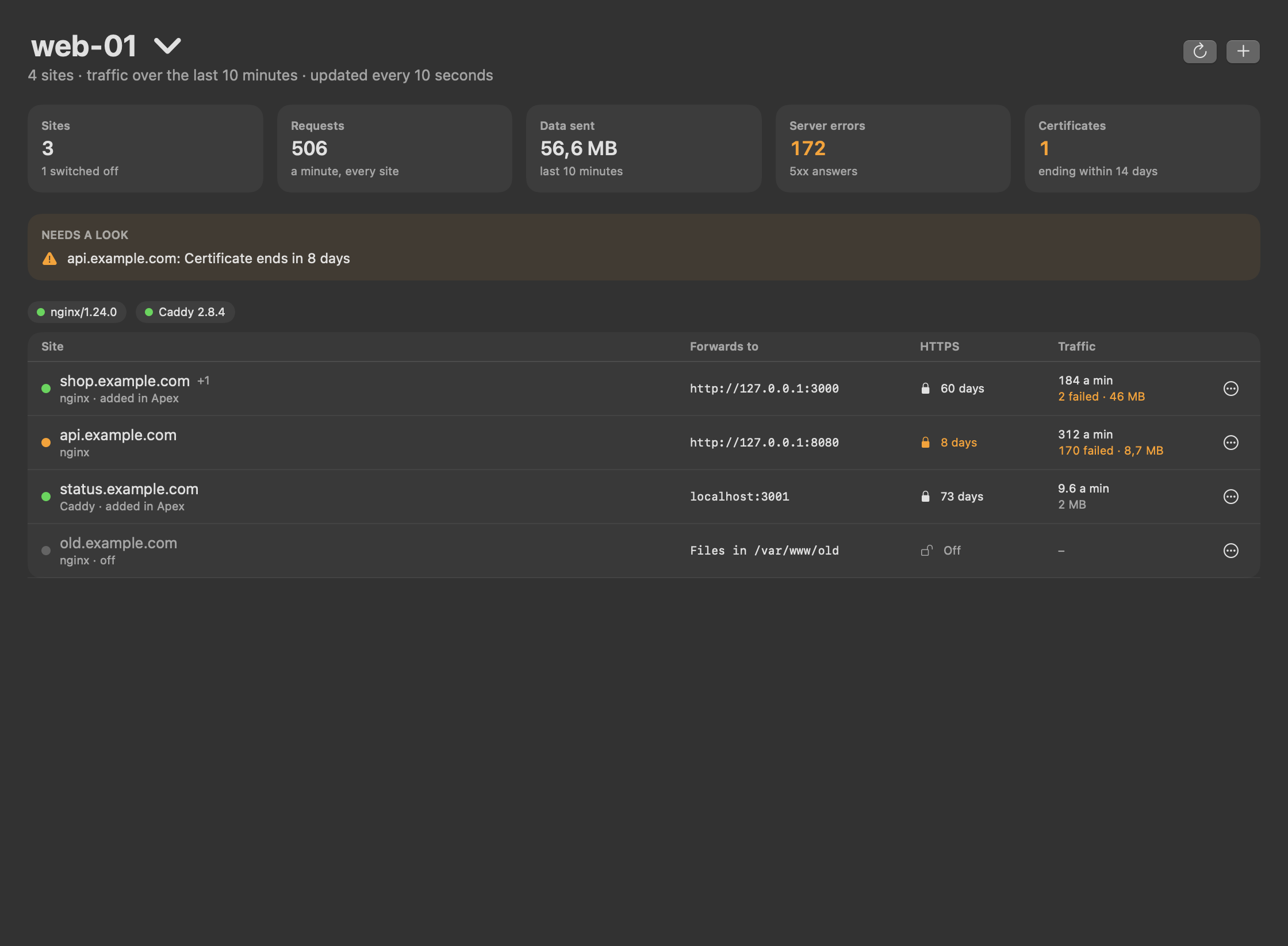
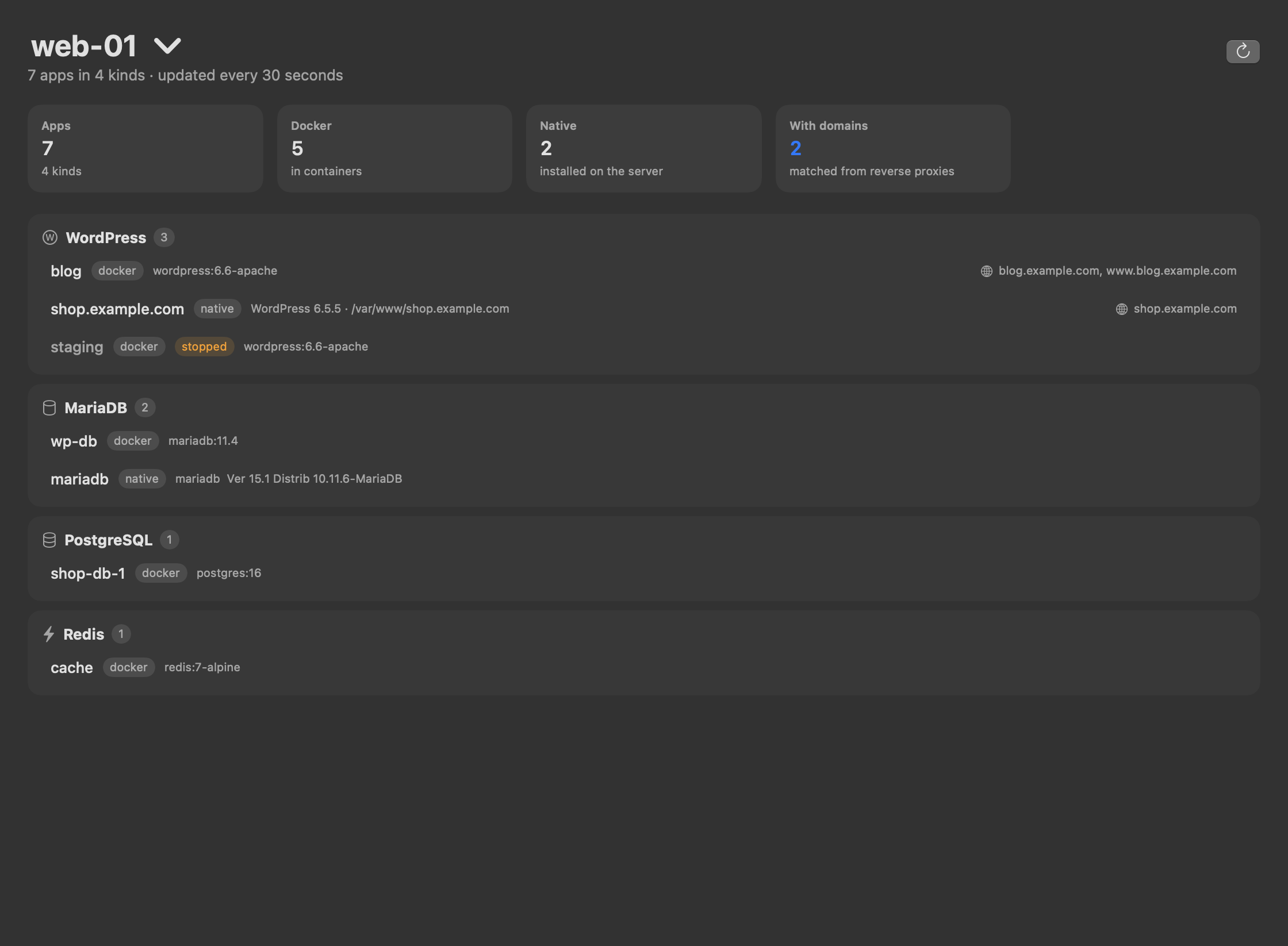
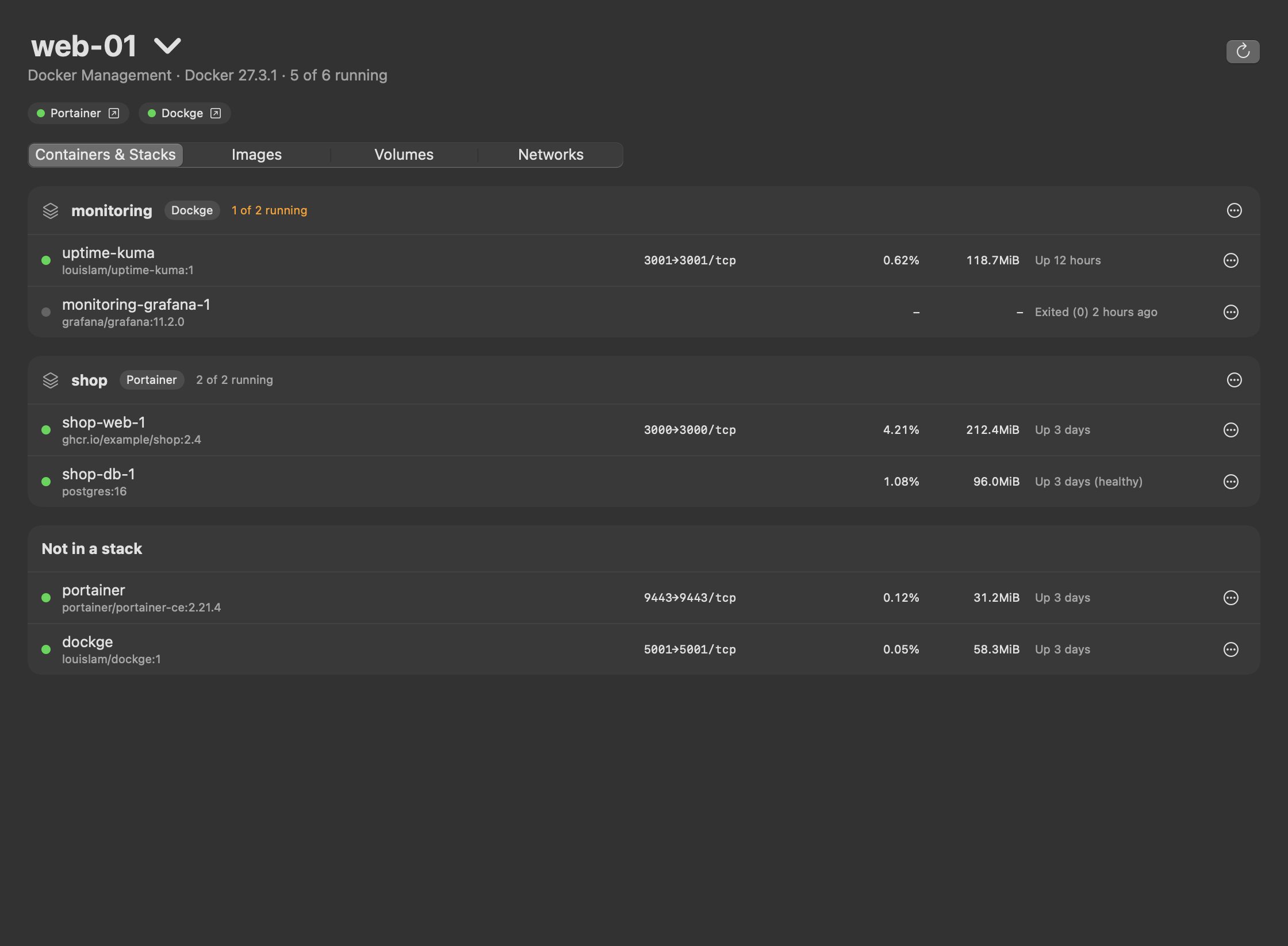
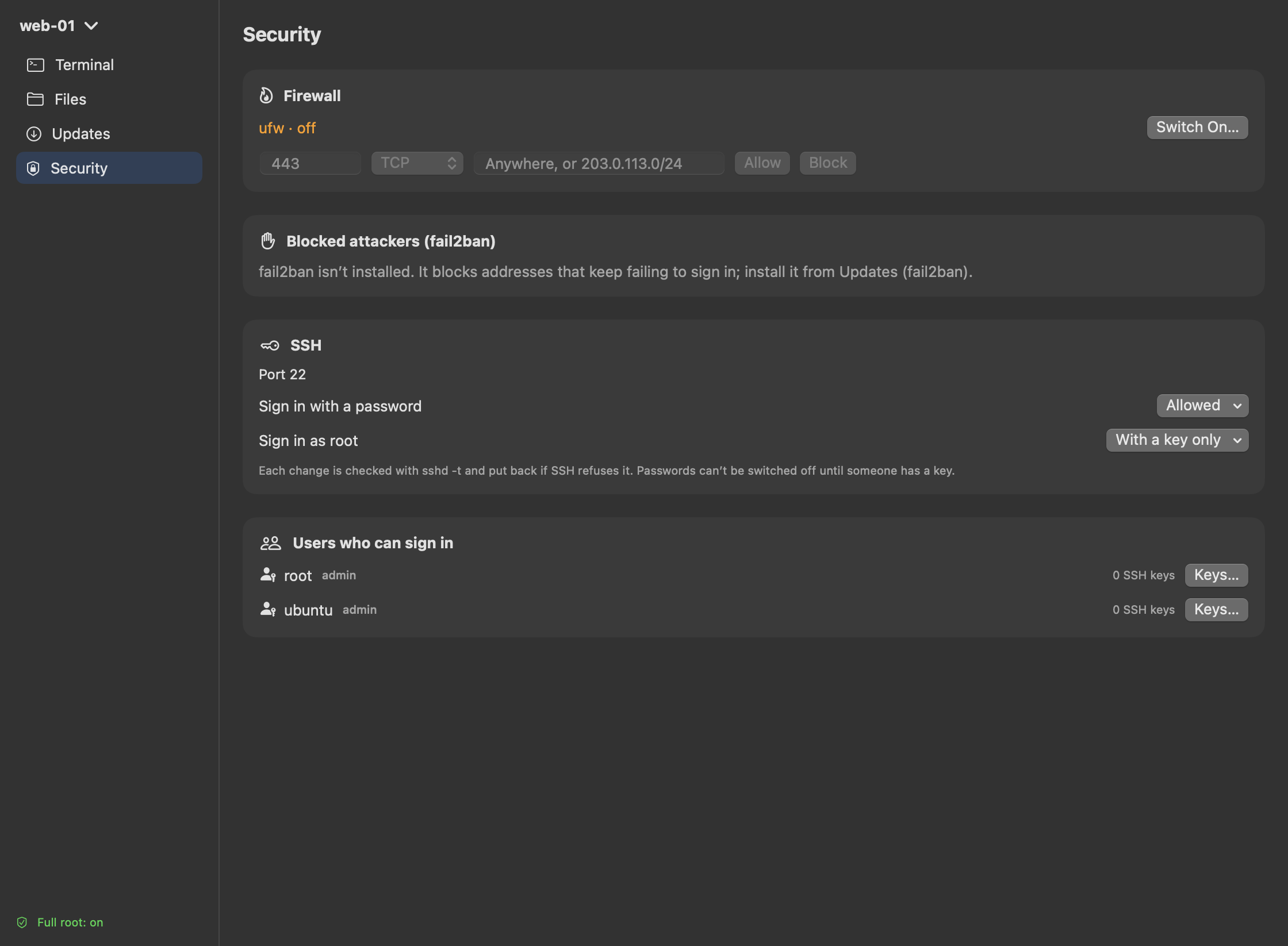
Screenshots from the Apex app on a Mac, with sample servers. Server Edition has no window of its own; the install commands are below.
curl -fLO https://github.com/sudo-user101/Apex-Activity-Manager-Server-Edition/releases/latest/download/apex-server-linux.tar.gzcurl -fLO https://github.com/sudo-user101/Apex-Activity-Manager-Server-Edition/releases/latest/download/apex-server-linux.tar.gz.sha256sha256sum -c apex-server-linux.tar.gz.sha256tar xzf apex-server-linux.tar.gz && cd apex-server-*/sudo sh install.shServer address, pairing code and certificate fingerprint printed here.
Server Edition is a single static program you install on a Linux server with one command. It runs as a background service on its own encrypted port, and only devices you pair with a one-time code can see or change anything. Pair it from Apex on your Mac, or open it directly in a browser.
What it shows
Every process, service and container, live.
Every process, service, disk, network interface, container, GPU and signed-in user on the server, live, plus the apps behind each website: WordPress, Ghost, Nextcloud, Gitea, Grafana, MinIO, Node.js and the databases. In the Apex app on your Mac, or in a browser at the server’s address.
sudo apex-server statusAddress: 192.0.2.10:7443
Fingerprint: 3F:A1:...
Paired devices: 1
What it can do
Act only after you confirm.
End a process; start, stop or restart a service or a container; manage Docker stacks and the websites on nginx, Caddy and Traefik; and, once you switch on full root at the server (sudo apex-server allow panel), use a root terminal, files, updates and the firewall from the app; shut the server down — and nothing happens until you confirm it. Every change to a website is checked by the proxy first and undone if it’s refused. Every action is logged with where it came from, in journalctl (apex-server) or /var/log/apex-server.log.
Where it runs
Tested on the distributions people actually run.
One static program, no dependencies, for x86_64 and aarch64 Linux, set up as a service with systemd, OpenRC or SysV init. It keeps itself up to date: once a day it checks GitHub, installs a new version only if its SHA-256 and signature check out, and puts the old one back if the new one doesn’t start.
Tested on Ubuntu 18.04 & 24.04 (systemd), Debian 12, Fedora 41, Rocky Linux 9, CentOS 7, openSUSE Leap 15.6, Amazon Linux 2023 and Alpine 3.20, and end-to-end with the Mac app on Ubuntu with systemd. Not yet tested: a cloud server, Arch Linux, or OpenRC as the running init system.
Security
Paired, not public.
TLS 1.2+ with a certificate made on first start; Apex remembers its fingerprint and refuses any other. Pairing codes work once and expire after 24 hours, and 10 wrong codes from one address (or 200 from all) lock pairing for 15 minutes. Each paired device gets its own token — only its SHA-256 is stored on the server — and any device can be removed.
The systemd service runs with NoNewPrivileges and a read-only system, except its own settings and the reverse proxies’ folders — until you switch on full root at the server (sudo apex-server allow panel; deny panel switches it off). Its certificate lasts 800 days and renews itself with the same key.
sudo apex-server pairNew pairing code (valid 24 hours): 482-915sudo apex-server devices1 device paired
No dedicated app
There’s no separate desktop app for this edition.
Server Edition has no GUI of its own. You manage it from the Apex app on your Mac (This Mac menu › Add Server…), or from any modern browser at https://<address>:7443.
Privacy, honestly.
Server Edition has no analytics and no CyberNet Labs server behind it. It contacts one outside service: GitHub, once a day, to check for a new version of itself, which it installs only if the signature checks out. Switch that off with sudo apex-server updates off. Everything it shows comes from the server it’s installed on, and reaches only the devices you’ve paired.
Compatibility
Run it on your server.
Free for personal use. No account, no catch.
Need Mac or Windows instead? See all editions. Looking to use Apex commercially? Get in touch.