Apex Activity Manager · Windows
See what your PC is doing, in plain words.
A native Windows app laid out the way Task Manager is, with Drive Doctor, memory and disk clean-up, live gaming frame rates, and an assistant that works offline or with your own AI key. Free for personal use.
Version 1.7.0 · 43.2 MB · Windows 10 (1809) or later, or Windows 11 · 64-bit x64 (runs on Arm PCs too)
The installer isn’t code-signed yet, so Windows may show “Windows protected your PC”. Choose More info → Run anyway.
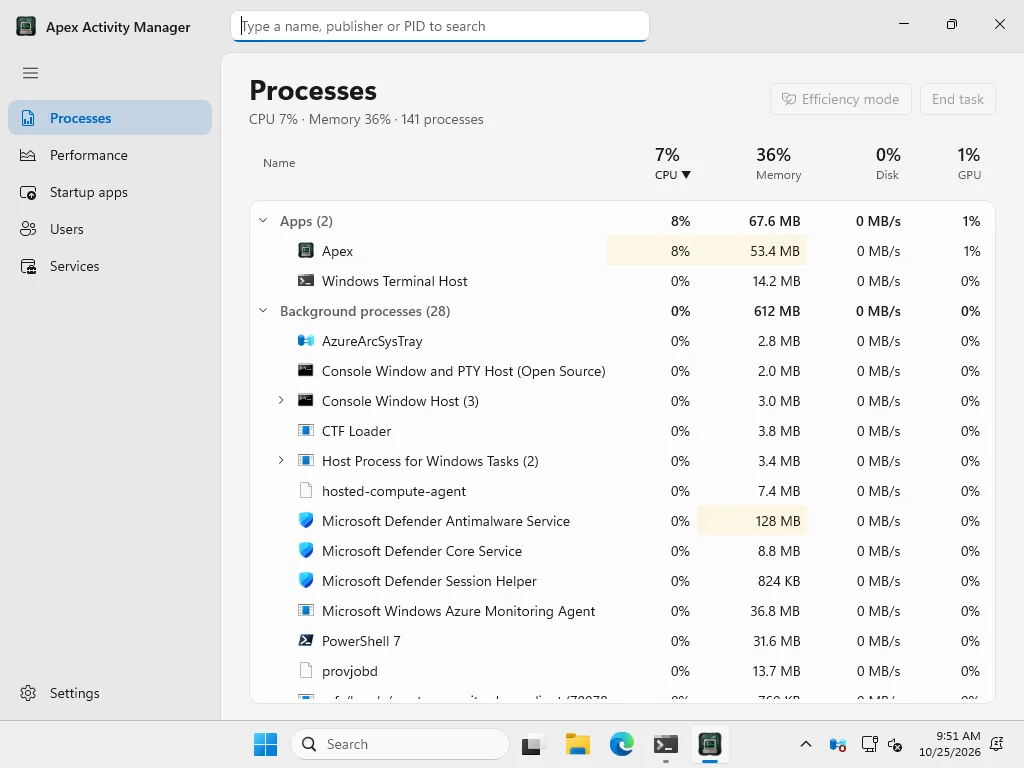
Apps and background processes, with heat-shaded CPU, memory, disk and GPU columns.
Apex for Windows brings Task Manager’s familiar layout together with memory and disk clean-up, live gaming frame rates, network diagnostics and an assistant, in one native app. Some actions ask for administrator rights only when Windows requires them. No account, no ads, no analytics: everything it shows is read on your PC.
Processes & memory
Free up memory without losing your place.
Every app, background process and Windows process, with heat-shaded CPU, memory, disk and GPU columns. End Task acts only on the exact process you chose, never one that took its place. Efficiency mode keeps an app running while it uses less — power-saving cores, lowest priority, first to give back memory, minimized — and switches off automatically when you bring the app back. On the Memory page, Apex also shows whether Windows’ own memory compression is on and how much it’s holding, with a switch to turn it on or off.
Turning memory compression on or off needs administrator rights and takes effect after a restart.
Gaming
Live FPS without a second app.
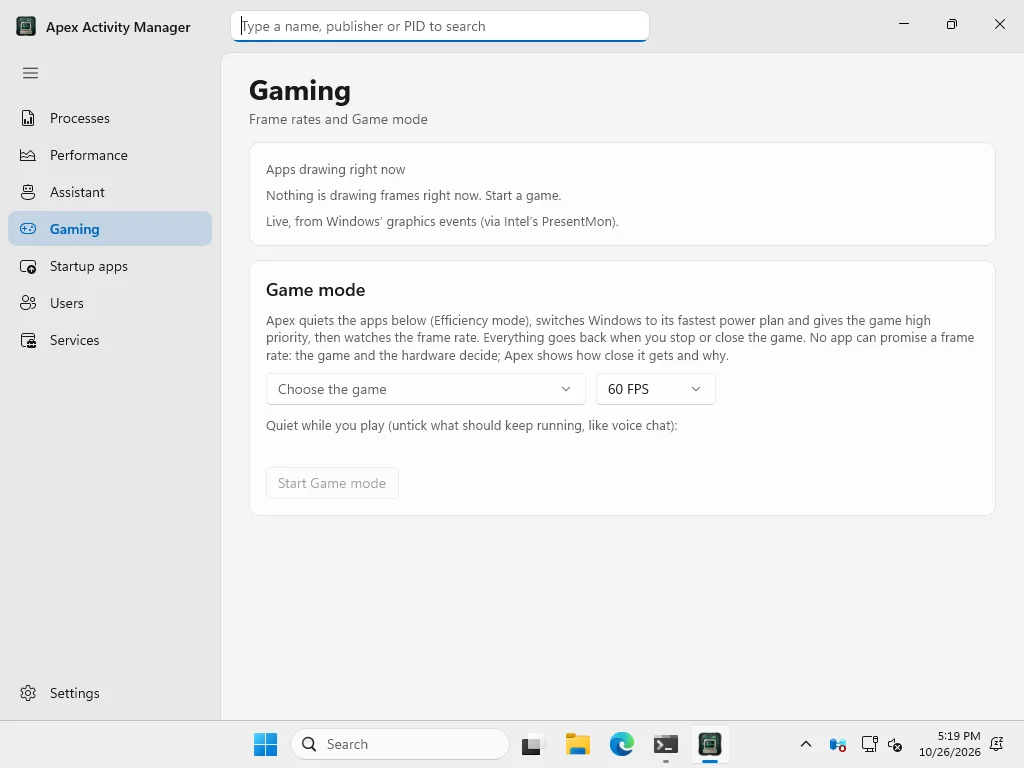
See live FPS, 1% low and frame time for every app that’s drawing to the screen. Game mode quiets other apps, switches to the fastest power plan, gives the game high priority, and watches your frame rate against a target you set — telling you in plain words what’s holding it back. Everything is restored when you stop or close the game.
Frame rates are read with Intel’s open-source PresentMon (MIT licence), shipped with the app.
Storage & drives
A full disk or a worn-out drive, explained.
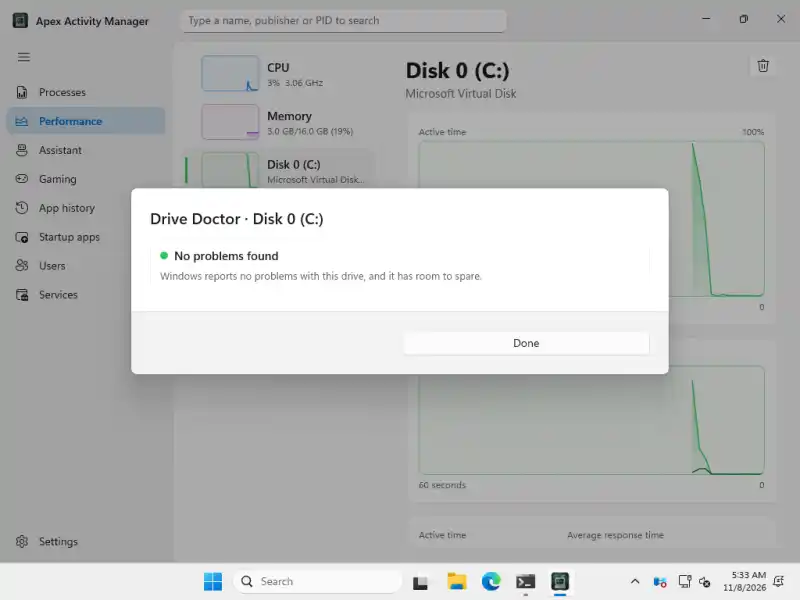
Drive Doctor reads what Windows reports about each drive and explains it in plain words: failing health, wear, errors, heat, almost full or repeated unexpected shutdowns, each with a safe next step. Clean temporary files, caches, crash reports and Windows Update leftovers, each one explained, or empty the Recycle Bin. Analyze shows what takes the space on any drive, largest first, with OneDrive’s online-only files marked so nothing downloads by mistake.
Drive Doctor’s buttons free up space, run Windows’ read-only disk check or open Windows Backup; nothing is changed without you. Compress in place is a lossy re-encoding, and originals go to the Recycle Bin.
Network
Internet not working? Find the broken link.
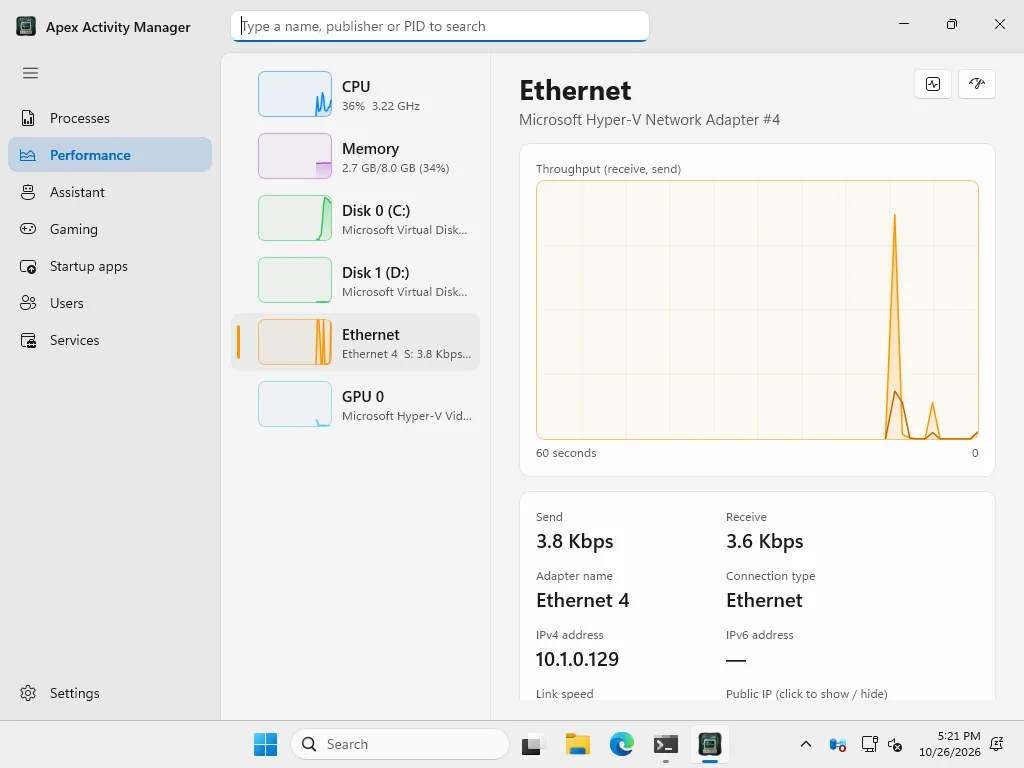
Network Doctor checks each step from your PC to the internet and says which one is failing. See every app’s connections live, free up a port that’s stuck in use, and run a speed test whenever you need one. Your public IP stays hidden until you choose to reveal it.
Always within reach
A tray panel that’s always one click away.
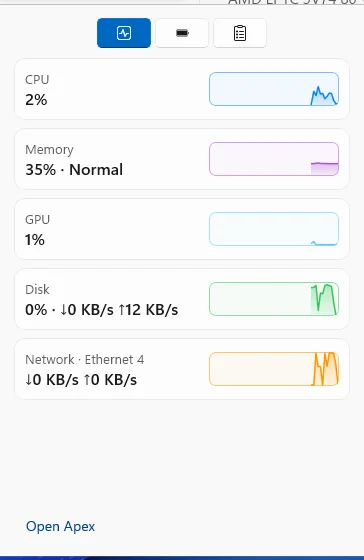
The icon by the clock opens Monitor (CPU, memory, GPU, disk and network with mini graphs), Energy (battery, and Stay Awake for a while or until you turn it off) and Clipboard — your last 50 copies, searchable, click to copy again. Closing the main window keeps Apex running by the clock; quit from the tray icon’s menu when you’re done.
Clipboard history skips copies from password managers and is kept in memory only.
Assistant
Ask your PC questions, offline or with your own AI key.
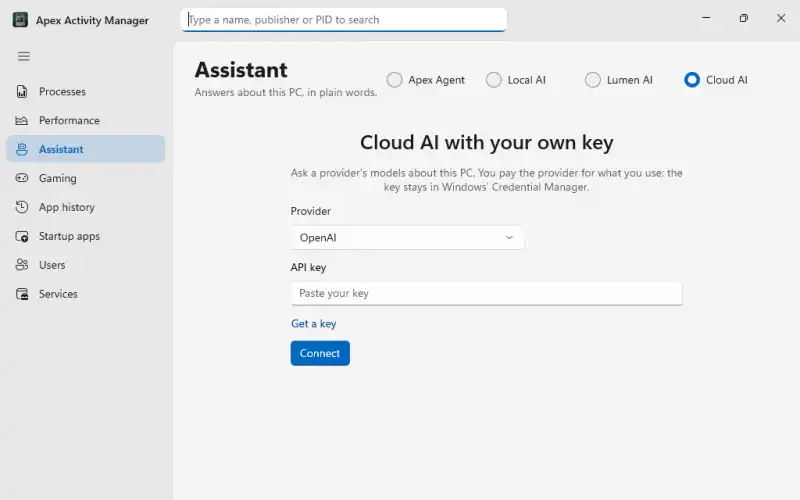
Apex Agent answers plain questions about your PC — “why is my PC slow?” — or carries out a command after you press its button: “close everything except my music app”, “steady 60 FPS in my game”. Local AI chats with a model running on this PC through LM Studio or Ollama. Cloud AI uses your own key for Anthropic, Google Gemini, Mistral, OpenAI, OpenRouter or any OpenAI-compatible address.
Apex Agent is a built-in rules engine, not an AI model, and only acts on the exact app or process it named, after you confirm. With Cloud AI, your question and this PC’s readings go to the provider you chose, who bills you directly; the key stays in Windows Credential Manager.
Startup
Know what’s starting with your PC.
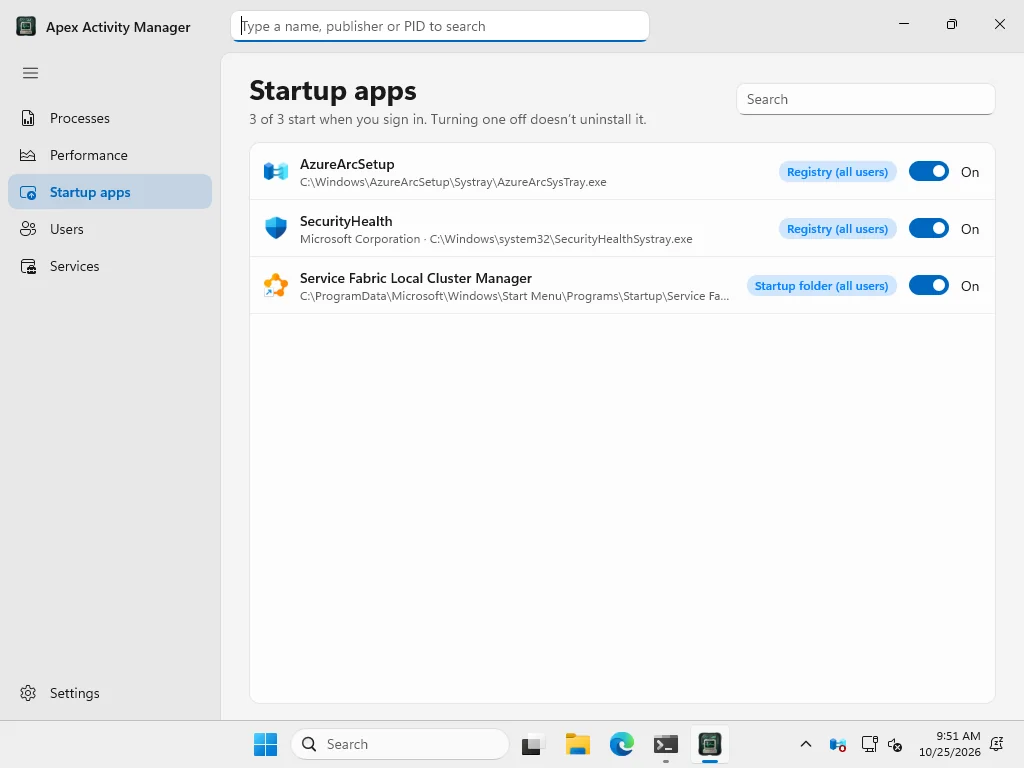
See everything that starts when you sign in, with a switch for each one. Pair it with Users and Services (start, stop, restart) to see and control what’s running in the background.
Turning off an all-users startup item, or managing another user’s processes or a Windows service, needs administrator rights — use Settings › Restart as administrator, or Windows will ask when it’s needed.
More in the box
Privacy, honestly.
Apex has no account, no ads and no analytics, and what it shows is read on your PC. It goes online only for things you can see: a daily check on GitHub for a new version (switch it off in Settings › Privacy), and Check on VirusTotal and Cloud AI with your own keys, each sent only to the service you chose. After a crash it offers a report that you read on GitHub before sending. Apex Agent works entirely offline, and Local AI talks to a model running on this PC.
Compatibility
Try it on your PC.
Free for personal use. No account, no catch.
Need Mac or a headless Linux server instead? See all editions. Looking to use Apex commercially? Get in touch.